
Text extraction from scans and photographed records
← All features
Make every page workable
Legal OCR
Make scanned and handwritten records searchable and useful.
Convert scans, photographed orders and handwritten material into editable text.
Open Juniorlawyer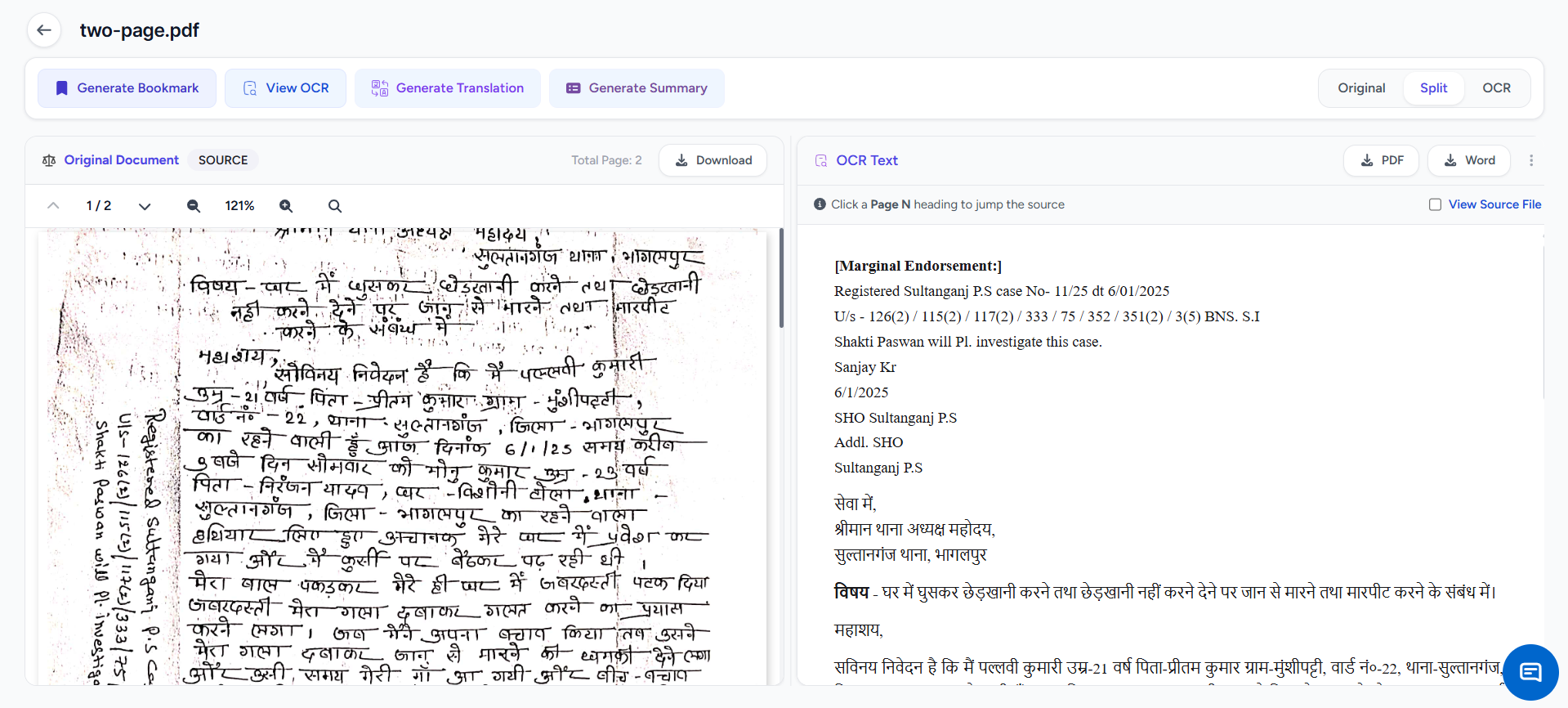
WHEN IT HELPS
Legal OCR in daily practice.
Court files still arrive as scanned PDFs, phone photographs and handwritten pages. Legal OCR extracts workable text so the same record can be searched, corrected, translated, summarized or used in drafting.
A common situation
Upload the phone photo a clerk sent from court, extract its contents and search it immediately. Use that text for a summary, translation, chronology or draft without true-typing the page.
Bring paper records into the same digital workflow.
CORE TASKS
What you can do.
Support for printed and handwritten Indian legal material
Editable text that continues into other workflows
HOW TO USE IT
Three steps from source material to reviewed work.
Upload the record
Add the scanned PDF, photographed order, FIR or handwritten page.
Extract the text
Run OCR and let the workspace identify the content page by page.
Check and continue
Correct the text, then search, translate, summarize or draft from it.
COMMON USES
Where it fits into legal work.
Digitize a handwritten FIR
Search a photographed court order
Extract facts from scanned annexures
Review before use.
Check extracted text, translations, facts, authorities and generated documents before filing, advising or relying on them.